

From sign-up to a ready setup in five steps
Answer a few questions about your business and the software configures itself. It takes about two minutes.
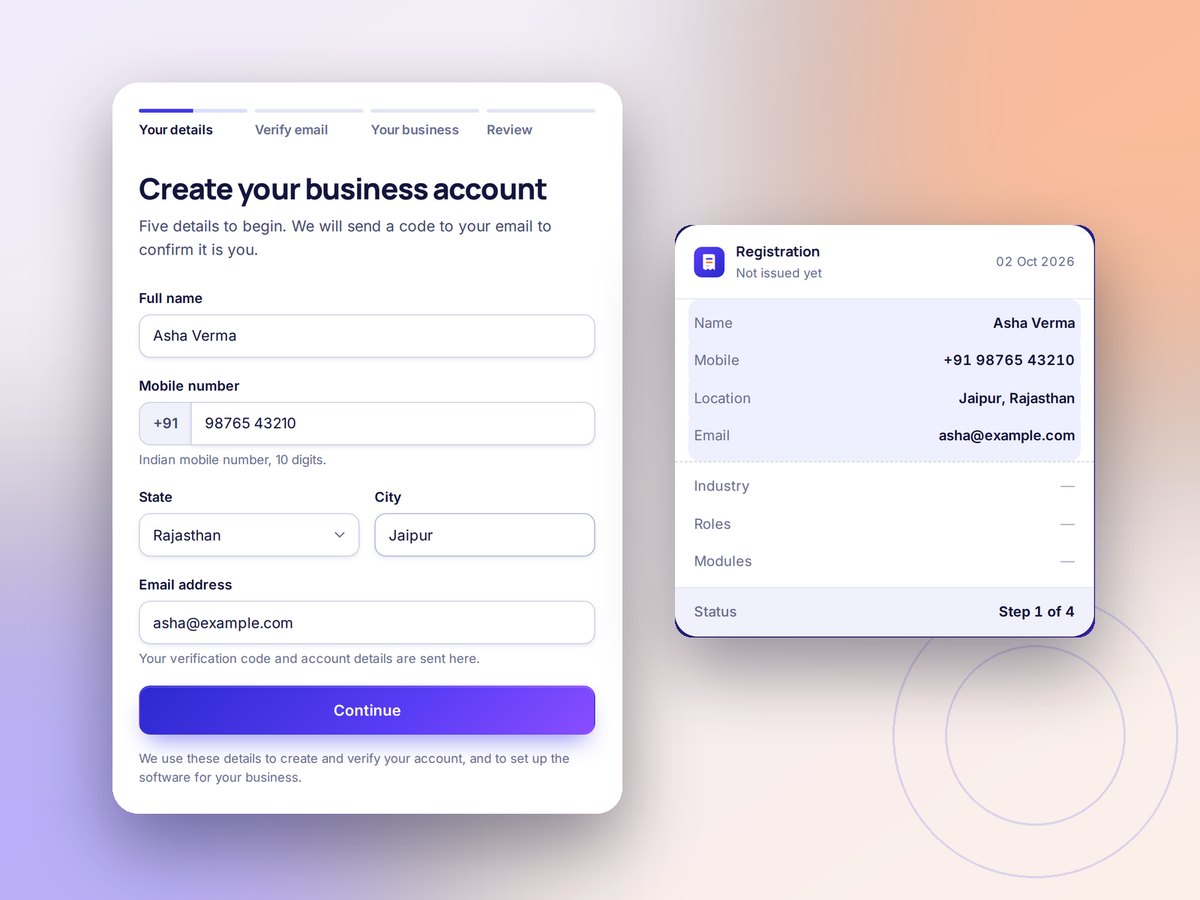
Ready in five steps
No setup forms to study. Answer a few questions and the software configures itself.
- 1
Create your account
Name, mobile, state, city and email. That is all.
- 2
Verify your email
Enter the one-time code we send you.
- 3
Tell us your trade
Pick your industry and every role your business plays.
- 4
Review your setup
See which modules switch on, and why.
- 5
Set a password and start
Open your account and change any module whenever you like.
See a setup before you sign up
These come from the same rules that configure a real account.
Pharmacy & Medical StoreRetailer and wholesaler
Switched on 12
- Billing & invoices
- Sales register
- Counter billing (POS)
- Wholesale price lists
- Purchases
- Supplier ledger
- Stock & inventory
- Batch tracking
- Expiry tracking
- Expenses
- Customer ledger
- Receivables & reminders
Suggested 3
- Sales & purchase returns
- Barcode labels
- Multiple godowns
Waits for your GST details 5
- GST setup
- GSTR-1 report
- GSTR-3B report
- E-Way Bill
- E-Invoice
Garment Manufacturing & ExportManufacturer and wholesaler
Switched on 9
- Billing & invoices
- Sales register
- Wholesale price lists
- Purchases
- Supplier ledger
- Stock & inventory
- Expenses
- Customer ledger
- Receivables & reminders
Suggested 9
- Sales & purchase returns
- Delivery challans
- Barcode labels
- Multiple godowns
- Bill of materials
- Production
- Raw material stock
- Finished goods
- Job work
Waits for your GST details 5
- GST setup
- GSTR-1 report
- GSTR-3B report
- E-Way Bill
- E-Invoice
RestaurantRetailer
Switched on 7
- Billing & invoices
- Sales register
- Counter billing (POS)
- Purchases
- Expenses
- Customer ledger
- Tables, KOT & add-ons
Suggested 3
- Sales & purchase returns
- Stock & inventory
- Barcode labels
Waits for your GST details 3
- GST setup
- GSTR-1 report
- GSTR-3B report
Mobile Phones & AccessoriesRetailer
Switched on 8
- Billing & invoices
- Sales register
- Counter billing (POS)
- Purchases
- Stock & inventory
- Barcode labels
- Expenses
- Customer ledger
Suggested 3
- Sales & purchase returns
- Serial & IMEI tracking
- Warranty tracking
Waits for your GST details 3
- GST setup
- GSTR-1 report
- GSTR-3B report
Chartered Accountant & Tax ConsultantProfessional
Switched on 5
- Billing & invoices
- Quotations & estimates
- Expenses
- Customer ledger
- Receivables & reminders
Suggested 3
- Recurring billing
- Milestone billing
- Retainers
Waits for your GST details 3
- GST setup
- GSTR-1 report
- GSTR-3B report
Transport & TruckingService provider
Switched on 6
- Billing & invoices
- Quotations & estimates
- Expenses
- Customer ledger
- Receivables & reminders
- Trips, LR & vehicles
Suggested 1
- Recurring billing
Waits for your GST details 3
- GST setup
- GSTR-1 report
- GSTR-3B report